
ADVERTISEMENT
Define a new bullet
Defining a New Bullet Symbol
Let’s see how we can change the appearance of the bullet, as follows:
- At the bottom of the bullet drop-down list, select Define New Bullet…

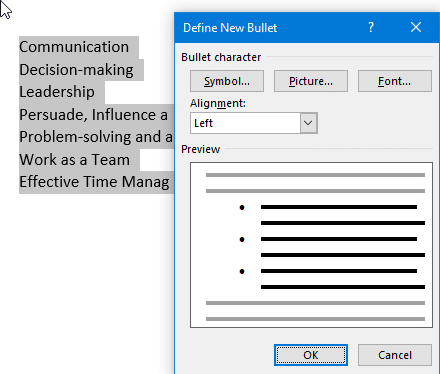
- In the Define New Bullet dialog box, select the Symbol… button under the Bullet character heading, as illustrated in the following screenshot:
- Scroll through the Font: drop-down list to select a font face. The most popular bullet fonts are Webdings, Wingdings, Wingdings 2, and Wingdings 3, shown in the following screenshot:

For illustration purposes, we have used Webdings as our bullet font in the previous screenshot.